
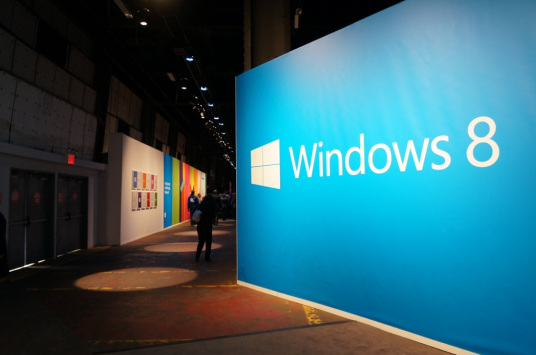
Microsoft officially launched Windows 8 on 26 October 2012, marking a significant evolution in its flagship operating system. This release arrived alongside a refreshed company logo, symbolizing a new era for Microsoft’s software ecosystem. Windows 8 represents a bold departure from previous versions, designed to meet the demands of an increasingly mobile and touch-driven world.
Windows 8: A Platform Built for Mobility and Versatility
Windows 8 targets a broad range of devices including tablets, laptops, home theater PCs, and traditional desktops. This strategic focus reflects the changing landscape of personal computing, where users expect seamless experiences across multiple device types. The operating system’s adaptability stems from its support for both traditional x86 processors and the newer ARM architecture, which powers many mobile devices.
Windows 8 is the first version of Microsoft’s OS to natively support ARM-based tablets alongside Intel and AMD x86 PCs. This dual compatibility enables manufacturers to create a wide variety of hardware options without sacrificing performance or functionality. By bridging these two processor families, Microsoft opened the door for a unified ecosystem where apps and services run smoothly regardless of the underlying hardware.
Innovative Features Designed for Touch and Productivity
The Windows 8 user experience showcases a new touch-centric interface, departing from the classic desktop paradigm. The Start Menu is replaced by a customizable mosaic of tiles, known as the Metro UI, which provides live updates directly on the home screen. For example, the weather tile dynamically displays current conditions and forecasts without requiring users to open the app, enhancing productivity and convenience.
Another noteworthy innovation is the Charms bar, a side panel offering quick access to five key options: Start, Search, Share, Devices, and Settings. These options streamline navigation and control, allowing users to manage app-specific settings or system-wide features such as volume and brightness effortlessly. The Share charm integrates social network sharing directly into the OS, reflecting Microsoft’s recognition of social media’s growing importance.
Windows 8 also introduces Snap multitasking, a feature that enables users to run two apps side-by-side with adjustable screen space. This improves multitasking capabilities, allowing users to monitor or interact with multiple applications simultaneously without losing focus. Whether snapping a communication app next to a document editor or streaming media alongside browsing, this functionality supports more efficient workflows.
Enhanced Control Panel and Web Navigation
The revamped Control Panel in Windows 8 includes new personalization and connectivity settings such as Personalize, Users, Wireless, Notifications, General, Privacy, Search, and Share. This modernization makes it easier for users to customize their experience and manage privacy and network preferences. As more Metro-style apps become available, users can tailor their Start screen with tiles representing calendar, music, email, and entertainment apps like Netflix.
Microsoft has also optimized web browsing for touch input. The built-in browser utilizes greater hardware acceleration to deliver faster page loads and smoother interactions. Gesture-based controls like zooming, panning, and navigating through websites provide a natural, fluid browsing experience on touch-enabled devices.
Typing and File Management Designed for Modern Users
Windows 8 includes two distinct on-screen keyboards: an enhanced traditional keyboard and a new thumbs keyboard tailored for non-touch typists. Both keyboards incorporate predictive text and spellcheck-like features to increase typing speed and accuracy. These improvements aim to reduce errors and streamline input across multiple languages, automatically applying chosen language settings system-wide rather than on an app-by-app basis.
File management also sees a significant upgrade with the Enhanced Copy Experience. Instead of multiple dialog boxes for copying files across different applications, Windows 8 consolidates all copy operations into a single interface. This dialog allows users to pause, resume, or cancel individual copy processes and provides alerts when overwriting existing files, reducing errors and improving overall file handling efficiency.
Hardware Support and Multi-Monitor Improvements
To keep pace with advancing hardware, Windows 8 offers native support for USB 3.0, which delivers data transfer speeds up to ten times faster than USB 2.0. This integration means users can take full advantage of the latest peripherals without relying on third-party drivers, a limitation present in Windows 7.
Additionally, Windows 8 enhances the multi-monitor experience. The operating system allows the taskbar to extend across multiple displays without external software, a first for Windows. Users can also stretch wallpapers across screens or display the Start screen on one monitor while using the traditional desktop on another, providing greater flexibility for multitasking and workspace customization.
__IMAGE_PLACEHOLDER_1__
Why Windows 8 Matters: A Forward-Looking Perspective
Windows 8 embodies Microsoft’s response to the shifting technology landscape, where mobile computing and touch interfaces are becoming dominant. By combining support for diverse hardware architectures, introducing a touch-optimized user interface, and enhancing multitasking and connectivity, Microsoft aims to unify the user experience across devices and usage scenarios.
This release signals a pivotal moment in the evolution of personal computing, as traditional desktop paradigms give way to more dynamic and interactive environments. While Windows 8’s radical changes may challenge long-time users, they lay the groundwork for future innovations and cross-platform integration. The operating system’s comprehensive feature set positions Microsoft to compete aggressively in the growing market for tablets and hybrid devices, ensuring Windows remains relevant in an increasingly mobile world.
As users and developers adopt Windows 8, the platform’s true impact will unfold, shaping how people work, communicate, and consume digital content for years to come.