
Microsoft has unveiled Windows 10, a groundbreaking operating system that marks a significant shift in the company’s approach to computing and user experience.
A Unified Platform Across Devices
Windows 10 represents a bold step forward by Microsoft, as it is designed to run seamlessly across a broad spectrum of devices. For the first time, this operating system will power not only traditional desktop PCs and laptops but also smartphones, tablets, and even the Xbox One console. This unified approach aims to create a consistent user experience regardless of the device, simplifying the ecosystem for both users and developers.
By bridging the gap between multiple device types, Windows 10 attempts to eradicate fragmentation that has long challenged users and software creators. Whether someone is working on a touchscreen tablet or gaming on a console, the system’s interface and functionality adapt smoothly, making it easier to switch between devices without losing productivity or entertainment continuity.
__IMAGE_PLACEHOLDER_1__
Key Features: Edge Browser and Cortana Integration
One of the most notable changes in Windows 10 is the introduction of a new web browser, Microsoft Edge, which replaces the iconic Internet Explorer. Edge is built to be faster, more secure, and more compatible with modern web standards, addressing many of the criticisms Internet Explorer faced over the years. This move signals Microsoft’s commitment to revitalizing the web browsing experience for its users and competing more effectively with browsers like Google Chrome and Mozilla Firefox.
Another major innovation is the integration of Cortana, Microsoft’s intelligent voice assistant, into desktop computers for the first time. Previously available mainly on Windows smartphones, Cortana now allows users to perform tasks, set reminders, search the web, and interact with their PCs using natural language voice commands. This feature brings a new level of convenience and personalization to the Windows desktop environment, positioning Microsoft alongside competitors such as Apple’s Siri and Amazon’s Alexa.
__IMAGE_PLACEHOLDER_2__
Return of the Start Menu and Free Upgrade Offer
Windows 8 had sparked considerable backlash when it removed the traditional Start menu, confusing many users accustomed to earlier versions of Windows. Microsoft listened closely to this feedback and restored the Start menu in Windows 10, combining it with live tiles to offer both familiarity and modern functionality. This hybrid Start menu is designed to help users navigate their programs and apps more intuitively, blending the best of both classic and contemporary design elements.
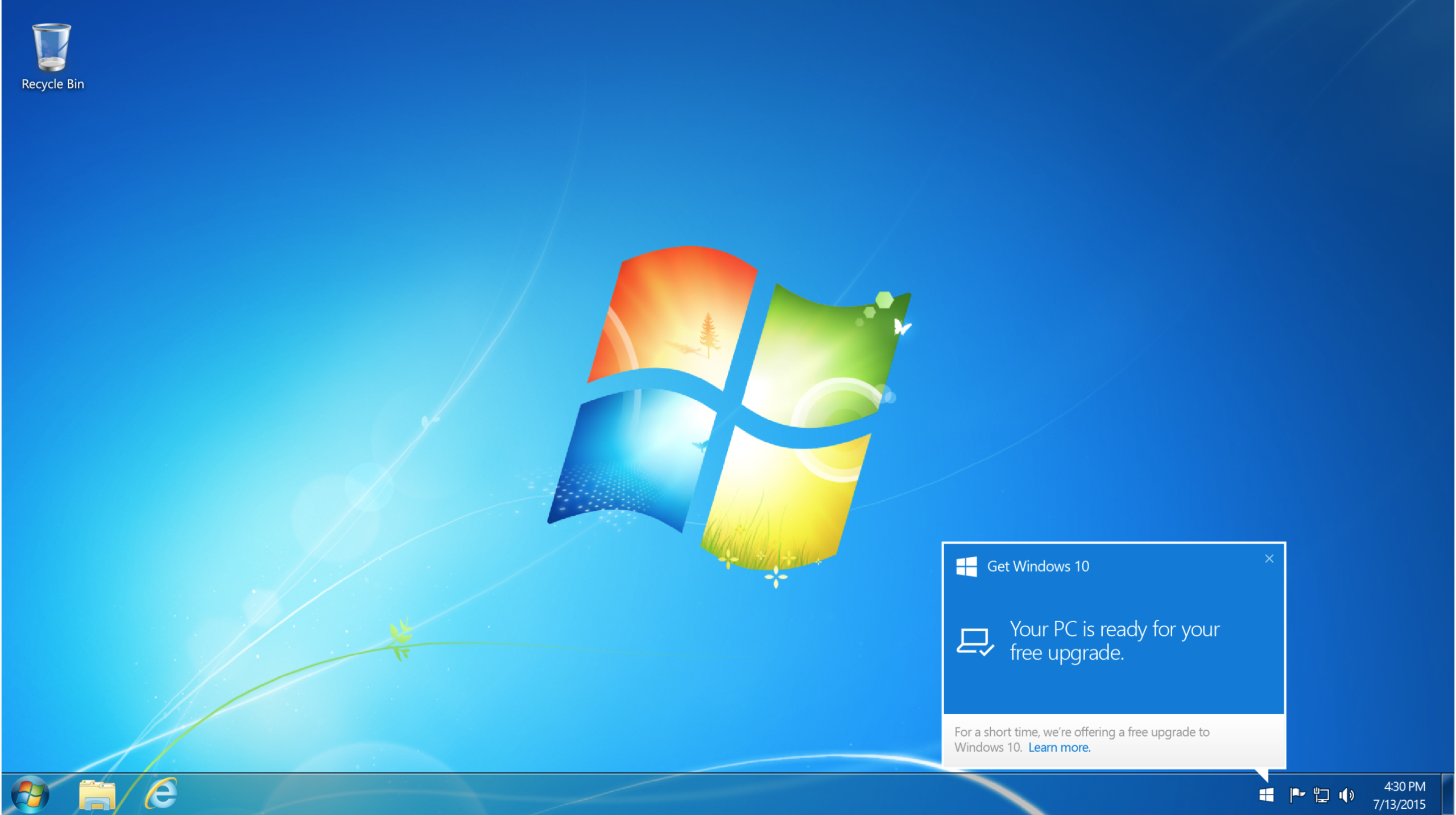
In a strategic move to accelerate adoption, Microsoft is offering a free upgrade to Windows 10 for millions of existing Windows 7 and Windows 8 users. This free upgrade period is a clear signal that Microsoft wants to grow its user base rapidly and ensure a smooth transition to its new platform. For users who do not qualify for the free update, the home version of Windows 10 will be available for purchase at £99, a competitive price point aimed at encouraging new users to join the Windows ecosystem.
__IMAGE_PLACEHOLDER_3__
What This Means for Microsoft and Users
Under the leadership of CEO Satya Nadella, Microsoft has articulated a vision to transform how users interact with Windows. Nadella’s goal is to shift the perception of Windows from a necessary tool to a preferred and beloved platform. By offering a unified experience, modern features, and a free upgrade, Microsoft hopes to rekindle enthusiasm for its operating system amid growing competition.
Despite Microsoft’s dominance with hundreds of millions of Windows users globally, the company faces increasing pressure from Apple’s OS X, which has been steadily gaining market share, especially in the premium laptop and desktop segments. Windows 10 aims to reinforce Microsoft’s position by delivering innovation and user-centric improvements that address past criticisms while embracing new technology trends.
The rollout of Windows 10 began early Wednesday morning and will continue over the coming days, with users receiving desktop notifications when their upgrade is ready to install. This phased rollout strategy helps manage demand and ensures a smooth update process for users worldwide.
__IMAGE_PLACEHOLDER_4__
Looking Ahead
Windows 10’s launch marks a pivotal moment in Microsoft’s journey, as it integrates cutting-edge features with a commitment to user feedback and cross-device functionality. The operating system sets the stage for future developments in computing, where versatility and seamless connectivity across devices become the norm.
For users, the update promises a more intuitive, powerful, and personalized experience. For Microsoft, it is an opportunity to regain momentum and foster deeper loyalty among its vast user base. As Windows 10 becomes the standard, it will shape the digital landscape in the years to come.